Select a messageThe full message will appear here.
Overview
✓ Saved
Crew briefing
Welcome back.
Your personal snapshot from vAMSYS — flights, progress and operational information in one place.
Connected to vAMSYS
Apps
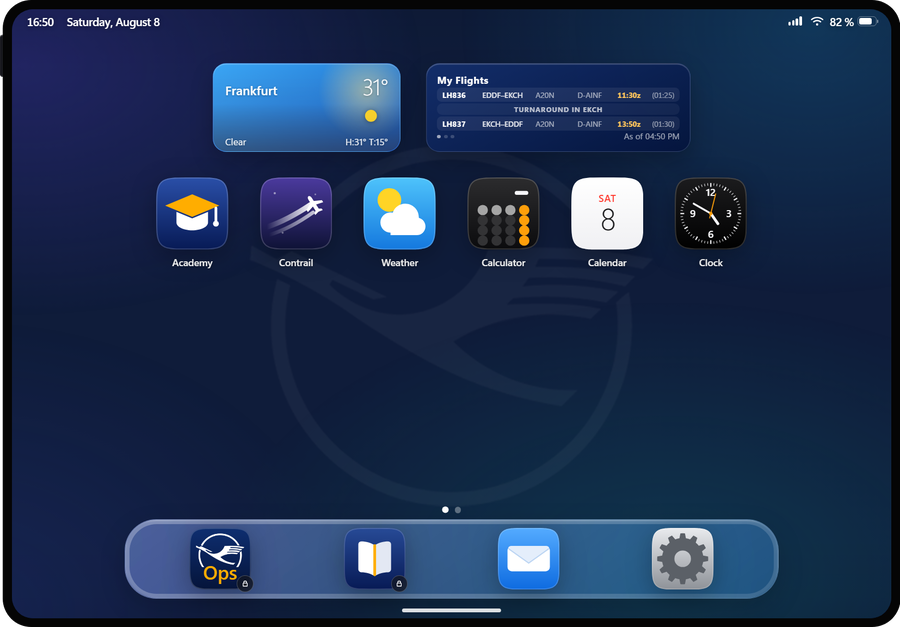
Your pad apps, here in the dashboard — same functions, same design.
NotificationsChecking browser support…
LH Virtual
Loading flights…
Inbox
Loading messages…
Loading profile…
Loading …
No message selected.
Scenery Vote
Loading …
What your vote does
Your votes weight the scenery catalogue for the airports we fly. A vote counts once per add-on for 90 days — from here or from your pad, it is the same vote.
- Yes — I have it and it is good.
- No — not worth it for our network.
- Superlike — outstanding. One per day.
- Don't know — skip without an opinion.
Swipe the card or use the buttons: right yes, left no, up superlike, down don't know.
Clear all messages?
All eDesk messages will be permanently removed. This action cannot be undone.
New Message
Roster planner is offline
The roster service is currently unavailable. Please try again later.
Manage news
Short categorized updates shown on the website, newest first.
Edit news
JPEG, PNG or WebP · maximum 10 MB. Large images are scaled down to 1920 px and re-encoded before publishing.
Save first — Discord and the pilots’ Mail app are pushed from the entry below, each with its own button. That way you send what is actually stored, and you see beforehand what goes out.
Slider
Slides rotate automatically in the hero area. Recommended: 3–5 slides with titles up to roughly 40 characters.
Edit slide
JPEG, PNG or WebP · maximum 10 MB. Uploads publish to the selected airline repository.
Fleet — detailed
Edit each airline category, every aircraft type and all of its specs (length, wingspan, seats, range …). Changes appear on the selected airline’s fleet page.
Partners — central management
One place for all partner logos. Drop a logo onto the tile (or click to pick a file), set the link, and choose per airline where the partner appears. Sites show the logo in their own style; the colored original appears on hover.
Social media channels
Handle, link and follower count shown in the “Follow along” section of the selected airline’s website. Every airline keeps its own list of channels; a channel without a link stays hidden on the site. Facebook, Instagram and Threads load automatically from Social Studio and are cached server-side. Other counts remain editable where no API is connected.
Create a community poll
Community Airport, Airplane of the Week or any free question. Every pilot gets exactly one vote (changeable until the deadline); after the end date the winner is shown on the pilots’ overview — ready to be posted as news.
Create a giveaway
Pilots enter with a single click. After the end date the winners are drawn automatically — no further action needed. Keys are optional: hand them over here and each winner sees their own key in the dashboard and gets it by eDesk. Without keys the winners are simply told you will be in touch.
Pick an existing partner (its current logo shows on the card), or with no partner upload a custom logo. Shown discreetly in the card corner; leave empty for none.
Keys are assigned in this order. Fewer keys than winners is fine — the remaining winners are told they will be contacted. A key is only ever sent to the pilot it was drawn for; it never appears in anyone else’s view, including this one.
Discord: create first, then use “Push to Discord” on the giveaway in the list below.
Running & finished polls
Loading…
Add a calendar entry
Everything that is not a vAMSYS activity: network events, briefings, community meet-ups. Entries show up in every pilot’s calendar in the company iPad and remind automatically — one week, one day and 30 minutes before the start (all-day entries without the 30 minutes). vAMSYS events arrive there on their own; do not enter them here a second time.
Network decides who sees the entry. A pilot who only entered an IVAO VID in the
iPad settings gets no VATSIM entries — and the other way round. Pilots who entered no ID
at all see everything, so nobody ends up with an empty calendar by accident.
A repeating entry keeps its local time: “every Friday at 18:00” stays 18:00 after the
clocks change.
Calendar entries
Loading…
Academy is offline
The Node.js service is currently unavailable. Start the Academy container and open this page again.
ScheduleMaker is offline
The ScheduleMaker service is currently unavailable. Start its container and open this page again.
Roster service is offline
The tours-generator container does not answer under /tours-app/. Start or route it, then reopen this tab.
Sign-ins
Every sign-in on the crew pad and on this dashboard, by day (UTC).
Sign-ins per day
Stacked: crew pad below, dashboard above.
Crew pad
Dashboard
When people show up
Weekday against hour of day, both surfaces, all UTC.
Split
Which surface the sign-ins happened on.
Most active pilots
Sign-ins in the selected range.
First time on the pad
Pilots whose very first sign-in falls in this range.
Pilots
Everyone the pad or this dashboard has ever seen. Pick a row for the full sign-in history.
| Pilot | Name | Pad | Dash | Last sign-in | First seen |
|---|---|---|---|---|---|
| Loading… | |||||
No pilot selected
Pick someone from the list to see every sign-in, both surfaces, plus their vAMSYS flight record.
Flight ops
Straight from the vAMSYS Operations API. Cached for 15 minutes — the airline shares one rate limit.
Flights per day
By landing time, not by the day the PIREP was filed.
Busiest pilots
Accepted flights in the selected range.
Networks
Where the flights were flown.
Fleet
Flights by aircraft type.
Roster service is offline
The tours-generator container does not answer under /tours-app/. Start or route it, then reopen this tab.
Scenery Vote
Pilots rate scenery add-ons; the result feeds the Add-on bonus in the Event Studio.
Voting rules live in the service configuration (
.env): vote validity,
superlike quota per day, minimum flights required and the minimum time a card must be
visible. A settings surface for those is not built yet — for now they are changed on the
server and take effect on restart.
The catalogue is produced by the scenery-index scraper and imported separately.
Links in Focus Airport event texts are restricted to an allow-list of developer shops and
authorised stores.
Academy
Course platform for all pilots.
The Academy manages courses, chapters and ratings inside its own interface —
open it from the Academy entry in the sidebar. Planned for this tab:
Academy settings and completion statistics. Neither is built yet.
Station configuration of the Telex service. The LH/LX selection lives inside the view below.
Telex is offline
The Telex service is currently unavailable. Start the telex-tool container and reopen this tab.
Transmissions—
Next telex send—
Latest activity—
| Time | Recipient | Flight | Kind | Network | Preview |
|---|---|---|---|---|---|
| Loading … | |||||
Every ACARS transmission is listed here — automatic Connex boards, messages sent by hand and dry runs alike. Connex messages are not repeated in the eDesk log.
Telex is offline
The Telex service is currently unavailable. Start the telex-tool container and reopen this page.
No Telex service for this airline
BOX Virtual has no Telex/Connex service. Switch to LH or LX above.
Loading …
Select a message.
Loading …
Select a ticket to see the conversation.
Connex Info went out over ACARS — those transmissions are
listed under Telex. Kind is derived from
message id, subject and text: the category flow alone carries five different
kinds, connex three.
| Time | To | Category | Kind | Subject | From |
|---|---|---|---|---|---|
| Loading … | |||||
Send eDesk message
Lands in the pilots' eDesk (dashboard and iPad) — for operational notes that belong to flying, not to mail.
ECFMP flow measures
Current VATSIM flow measures from the central fetch. Matching measures are delivered automatically to pilots with an affected VATSIM booking.
Loading …
eDesk lives on the airline's own instance
LX and BOX pilots keep their eDesk on their own website. Send operational messages from that instance — a cross-instance bridge is not built yet.